 MyPwdTool
What a vault is
A vault is a single encrypted file on your device, holding all your entries — logins, cards, notes, TOTP secrets, and passkey metadata. It has its own master password and its own encryption keys, entirely independent of any other vault. See Security & Encryption for exactly how it’s protected.
Multiple vaults
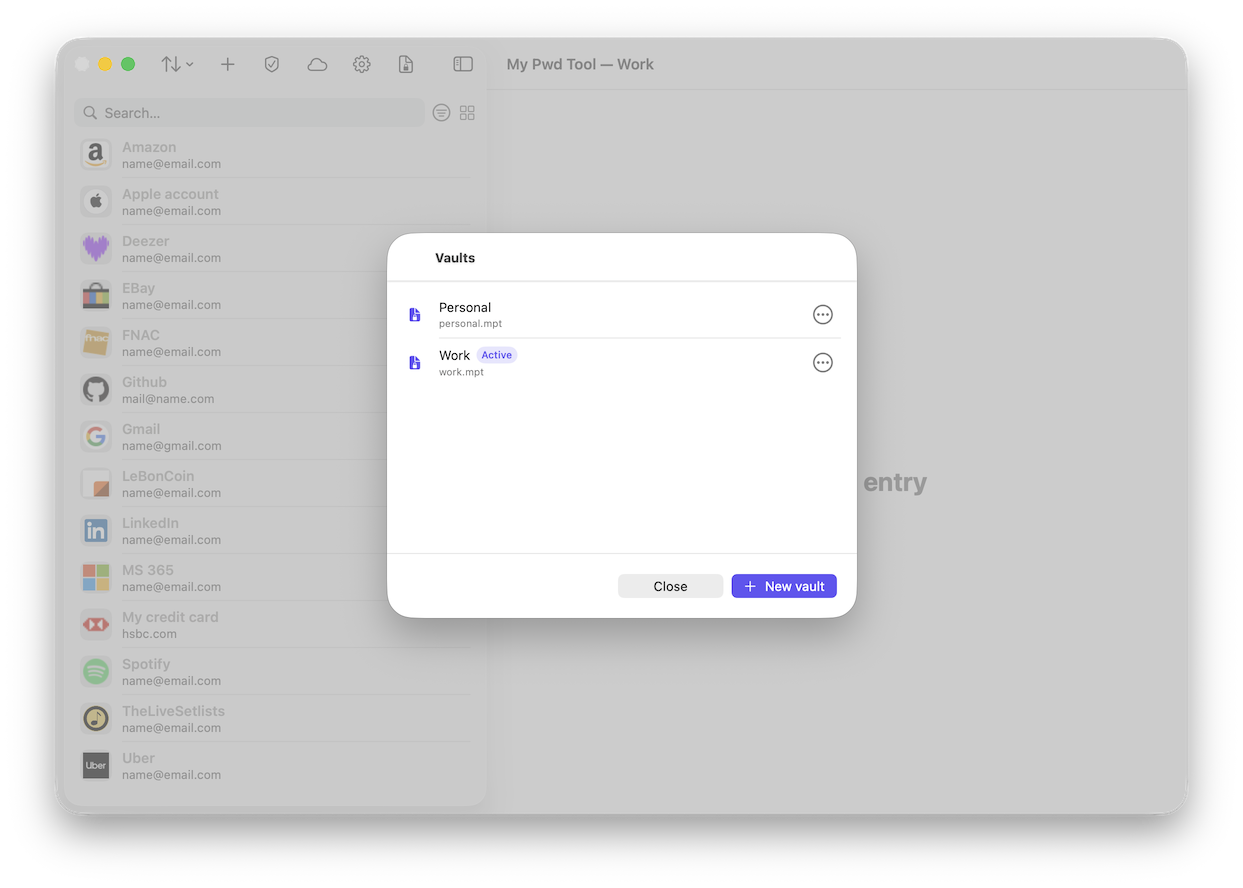
On macOS and iOS, you can create more than one vault — for example, to keep a personal vault fully separate from a work vault, each with its own master password. Windows currently supports a single vault only — see Windows App.
Vaults are independent in every respect: pairing one vault’s sync group with a new device never gives that device access to any of your other vaults.
The one thing you must understand before relying on sync
MyPwdTool’s synchronization is deliberately built so that the relay server that moves data between your devices cannot read it, and cannot recover it for you — see Synchronization for how that’s enforced. This is the whole point of the design, and it’s a genuine security strength. It also has a direct, unavoidable consequence:
If every device holding a copy of your vault is lost, stolen, wiped, or destroyed at the same time — and you have no separate backup — your data is gone. Permanently. There is no “reset password and recover my vault” option, because there is no server anywhere that has ever held anything capable of decrypting it.
This is not a bug or an edge case to be fixed later — it is the direct cost of the relay never being able to read your data in the first place, which is also exactly what makes it trustworthy. The mitigation is simple and entirely in your control: keep a backup.
Encrypted backups
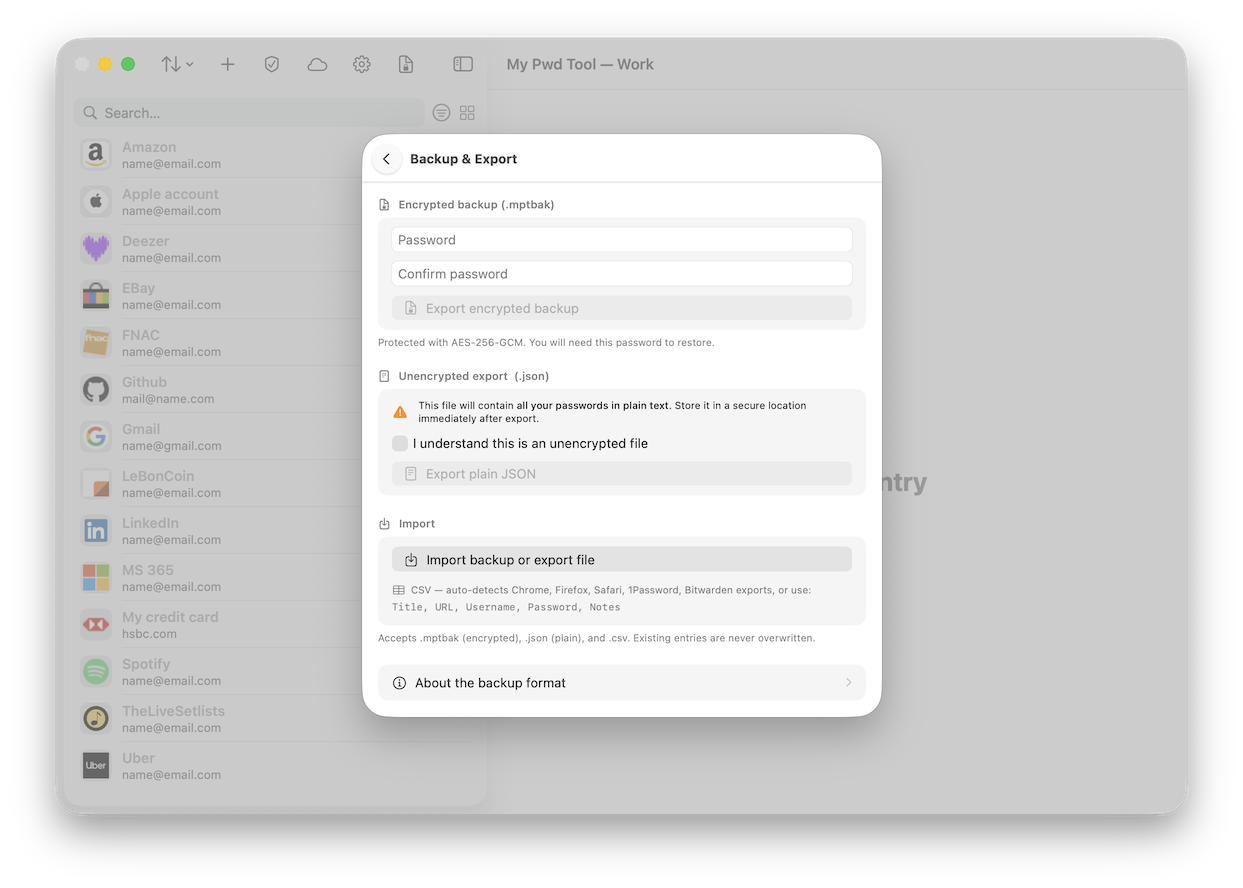
Settings → Backup & Export lets you export your entire vault to a single encrypted .mptbak.json
file, protected with its own password (which can be different from your master password) using
the same AES-256-GCM encryption as the vault itself. Store this file somewhere outside your
devices — a USB drive in a drawer, a different cloud storage account, wherever you’d keep a
paper backup of something important. Restoring from it on any device just needs the file and its
password.
You can even use any AES-256-GCM decryption system to read its contents, such as this Python script:
import json, base64
from cryptography.hazmat.primitives.kdf.pbkdf2 import PBKDF2HMAC
from cryptography.hazmat.primitives import hashes
from cryptography.hazmat.primitives.ciphers.aead import AESGCM

fname = input("Backup filename? ")
mpwd = input("Backup password? ")

env  = json.load(open(fname))
salt = base64.b64decode(env["kdf_salt"])
kdf  = PBKDF2HMAC(hashes.SHA256(), 32, salt,
                  env["kdf_iterations"])
key  = kdf.derive(mpwd.encode())

blob   = base64.b64decode(env["payload"])[1:]  # skip version byte
nonce  = blob[:12]
ct_tag = blob[12:]
aad    = b"mypwdtool-backup-v1"

data    = AESGCM(key).decrypt(nonce, ct_tag, aad)
entries = json.loads(data)["entries"]
print(json.dumps(entries, indent=2))
Unencrypted export
An unencrypted .json export is also available, for moving data into another tool or for your
own inspection. This file contains every password in your vault in plain, readable text — if
you use it, store it somewhere secure and delete it once you no longer need it. MyPwdTool warns
you about this explicitly before exporting.
Importing
MyPwdTool can import .mptbak files, plain .json exports, and CSV exports from Chrome,
Firefox, Safari, 1Password, and Bitwarden (auto-detected by column headers), including inline
TOTP secrets where the source export includes them. Importing never overwrites or deletes
existing entries.
Deleting a vault that’s part of a sync group
If a vault is currently syncing with other devices, MyPwdTool will not let you delete it outright — you’re asked to first properly leave the sync group (so your other devices are correctly notified), or, if that’s not possible (for example, you no longer have the master password), to force-delete with the explicit understanding that your other devices won’t be told and will be left believing that device is still part of the group.